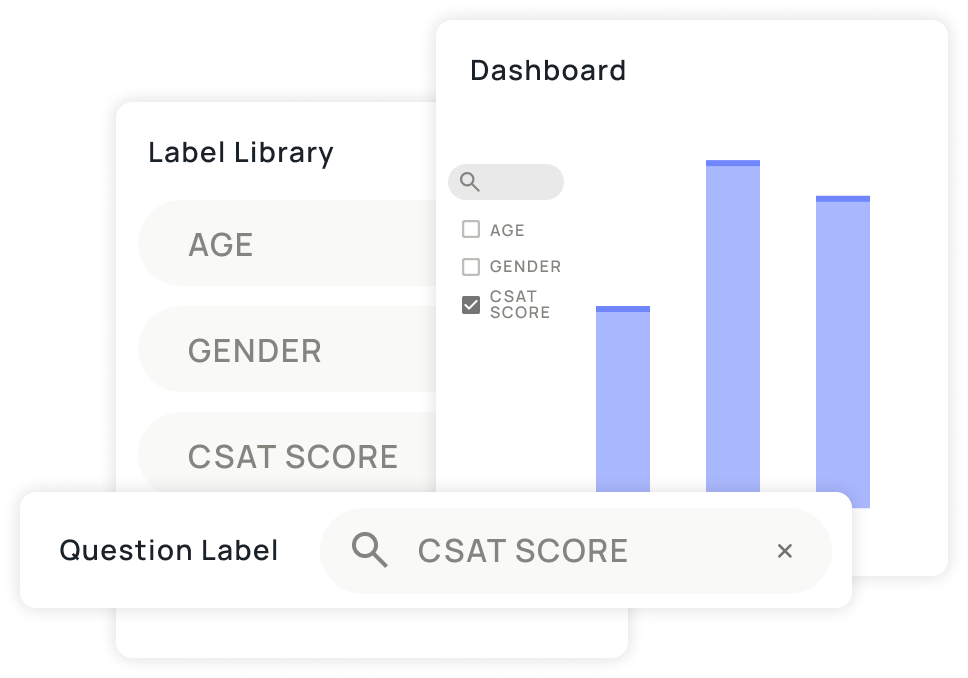
Introducing Alchemer’s new analysis-ready Question Labels
When it comes to understanding feedback across your organization, inconsistency is one of the biggest roadblocks. Different teams (or maybe you, just on a different day!) often use slightly different wording in surveys for the same concept—making cross-survey analysis harder than it needs to be. That’s why we’re excited to introduce Alchemer’s new Question Labels – available now in our Survey tool.
This update modernizes how feedback data is standardized, ensuring it stays consistent and comparable across all your surveys. The new features replace Alchemer’s legacy “Question Alias” feature with a smarter, account-wide labeling system that brings you one step closer to one source of truth for analysis.
Why consistency is the foundation of meaningful analysis
When customer feedback is collected across multiple touchpoints—NPS surveys, post-purchase questionnaires, event evaluations, or support follow-ups—the value of that data lies in your ability to connect the dots. Without standardization, similar questions like “How satisfied were you?” or “Rate your experience” get scattered across reports, making it hard to connect insights.
Real-world example: CSAT surveys
Imagine your company runs several brand surveys for different customer segments, and one question is meant to measure customer satisfaction.
Survey A asks:
“How satisfied are you with your experience?”
(Scale: Very satisfied → Very dissatisfied)
Survey B asks:
“Overall, how happy are you with your experience?”
(Scale: Very satisfied → Very dissatisfied)
That might not seem like a big deal now, but when you’re trying to pull reports later, those small wording differences can make it hard to line things up. You can use CSAT Rating as the Question Label for both, making it faster and more intuitive to analyze those results.
Question Labels help unify insights. By applying consistent, account-wide labels to questions that measure the same concept, you can:
- Integrate feedback from every source faster—regardless of where it was collected.
- Quickly compare results across programs, products, and time periods with confidence.
- Easily build dashboards that reflect the full customer story, not just a single data stream.
In short, Question Labels ensure that your data can speak the same language across surveys and teams—so analysis becomes faster, cleaner, and more reliable.
What’s new: Data standardization made simple
This release reimagines the legacy “Question Alias” experience for clarity and scale. Here’s what’s new:
- Unified terminology: “Question Aliases” are now called Question Labels—a clearer, modernized name.
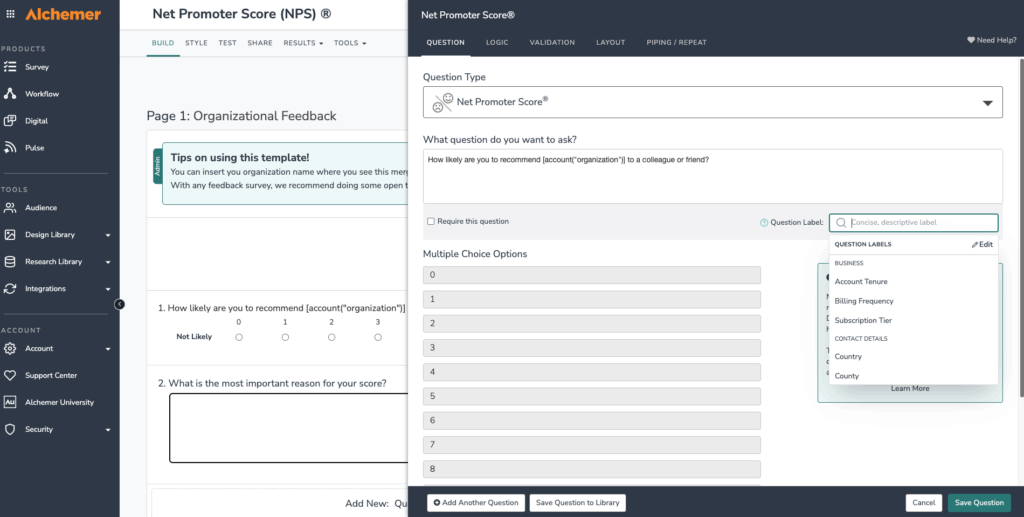
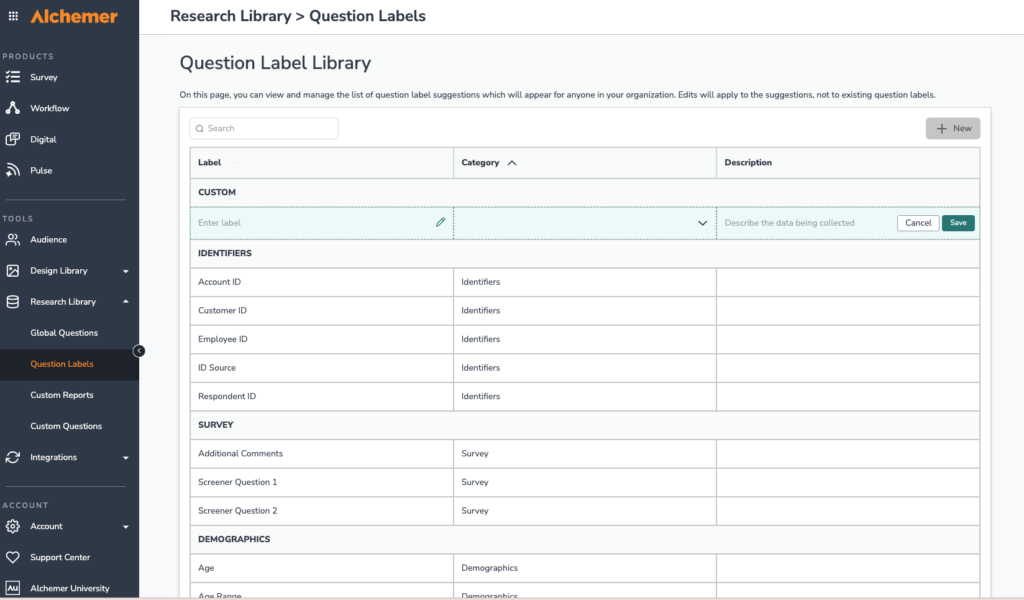
- Question Label Library: Create and manage standardized labels in one central location. The library comes pre-loaded with commonly used question labels, making it easy to get started.
- Type-ahead search: Easily find and apply existing labels while building questions for your survey, reducing duplication and error.
- Bulk edit survey labels: View and edit all labels within a survey at once. (Note: This feature lets you manage survey-level labels easily while the Question Label Library handles account-wide label management.)
- Role-based access: Control who can create or edit labels for better data governance.
- Seamless transition: If you already have existing Question Aliases set up in Alchemer, those will automatically convert to Question Labels, preserving your current setup.
Turning feedback into connected insights in Alchemer Dashboard
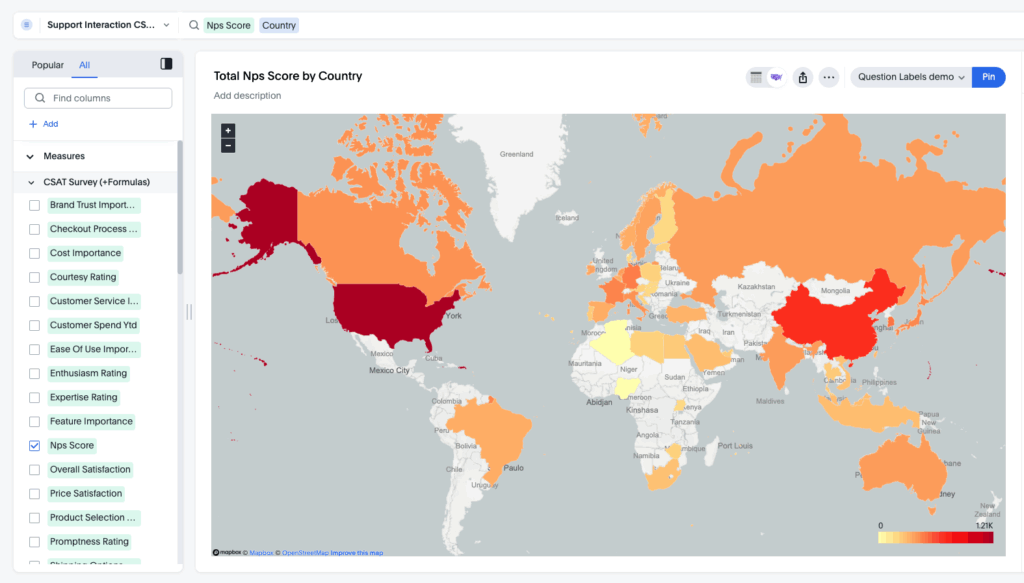
Assigning Question Labels in surveys makes getting ready for Alchemer Dashboard a breeze. With matching Question Labels, data fields across surveys will already be aligned, helping teams organize visualizations and compare results without tedious manual hunting for equivalent questions. Question Labels don’t merge data automatically, but they make it simple to align and compare similar fields across surveys.
Real-world example: Consistent CSAT data across segments
Continuing from the example above, imagine your team has labeled each variation of your customer satisfaction question across surveys as CSAT rating.
In Alchemer Dashboard, you can add these surveys as data sources and easily select questions with that label in Chart Builder. Because they share a consistent identifier, mapping and comparing satisfaction data is simple—no hunting for every question that has equivalency.
The result: cleaner dashboards and an easy-to-build view of satisfaction trends across every customer segment.
By using Question Labels, you’re fueling more powerful, organization-wide analytics —and setting the foundation for reliable multi-survey dashboards, trend analysis, and cross-program comparisons.
Benefits beyond Dashboard
Even if your organization doesn’t use Alchemer Dashboard, question labels still deliver meaningful value. They keep survey data consistent and easier to read—reducing cleanup time and improving clarity in exports and reports.
For example, a long question like “What are the total amount of employees in your organization?” becomes simply “employees” in exports and survey reporting—making data more readable and analysis-ready at a glance.
Why this matters for every team
- For survey creators: Spend less time worrying about or remembering naming conventions and more time crafting questions that matter.
- For analysts: Reduce data preparation time and focus on actionable insights.
- For leaders: Make decisions based on unified, comparable data across feedback sources.
Get started
Question Labels are making their way to all Alchemer Survey customers on a rolling basis. Once they’re live in your account, users who can modify projects can add labels to survey questions, while those with Create and modify question library elements permission can expand your team’s Question Label Library for even more flexibility.
As soon as Question Labels appear in your account, jump in and give them a try! You’ll see how they help standardize data, speed up analysis, and make insights easier to find. You can visit our Help Center for detailed setup and best-practice guidance.